Showing posts with label INTERNET. Show all posts

Checck the website Safety for PC


Internet is useful and very important now a days, but many of the websites we visit may contain virus/malware to be installed to your PC's. Only by surfing to these websites. Now the question comes How you can come to know Is the website you are visiting is safe to visit or not.
Here is a very useful link that I would like to share with you.
Just Open the following Link and type there the URL of website you wish to check. Click SEARCH

 After a few seconds, a safety report will be generated like this.
Download/Website Link http://www.urlvoid.com

Display Your Own Favicon on Browser / Change Your Blogger Logo


This a very small (tiny) icon that is displayed along with your Blog/Website address  in the address bar of your Internet Browser. You may find this in every site you visit.  One must change this logo according to his own choice, Because when someone bookmarks your page, then rather than the default blogger logo, it will be your logo that is saved in their bookmarks. as shown in the image below.
I created my own favicon and displayed it on my blog, so that instead of the default blogger logo, users see my logo.
How to Set You Own Logo
You can create your own logos with favicon.cc and download this or create it with Photoshop or simply with Microsoft Paint. 
After your logo is ready for display, you have to upload it to some site. You may use ImageShack for uploading the picture. I personaly use Imageshack to upload images. Once you have uploaded the picture, you will get a link to that picture. Copy that link and save it in a text file.

1. Log-In to your blogger account. 
2. Navigate to "Layout>>Edit HTML".  
3. Search for the following code using "CTRL+F"
</head>
4. Copy the following code and paste this above the line (</head>) mentioned in step 3 

<link href='http://a.imageshack.us/img401/3610/animatedfaviconw.gif' rel='icon'/> 

4. Now you can replace the above link marked in red with your own favicon link.(one saved in your text file) Save your template and have a look at your blog now.

Free Professional Business Logo Maker

http://fsadvisor.blogspot.com/2010/08/free-professional-business-logo-maker.htmlA logo should be a unique representation of your business or product. People should look at your logo design and see what your company stands for. Do you want to create your own LOGOs for free of cost? Logo Ease is an online service that provides you with the most convenient and simple step to create logos for your websites, company or any SME (Small and Medium Enterprise)
You just need to create an account and that it.
You can easily create your own personalized logo just in 3 steeps
1: Select your Image 
2: Personalize This
3: Download it 
How to Create Your Own Personalized Logo For Free
Create an acount on LOGO EASE
To Start your Logo you need to click on START logo button and get started with your Logo Editor

Word Viewer: View, print and copy Word documents,

Most of the times it happens that you want to view/copy some selected text or Print the word documents but you might not have MS-Office Installed on your system. At that time yo might need this.  Spoon offers free service within web is called Word Viewer. Word Viewer is free for view, print, and copy word documents even if you don't have word installed. With Word Viewer and the Compatibility Pack, you can view, print, and copy document contents to another program.

How To Use This
Move to WordViewer
Once You open the above page you'll be asked to Install The spoon-plugin for You Browser
Download the spoon-plugin.exe and install this.
Then on the same page WordViewer Click the GREEN Round Button
This will take a few minutes to load the Word Viewer. Once the Word Viewer is Opened It'll ask you to select your destination Word file to be opened.
Open You Desired file, View Copy or Print as per your needs. This comes up with some limitation that you cannot edit an open document, save a document, or create a new document.

Calculate You Password Strength

Microsoft Password check is a free online tool that helps you to check the strength op your password. Is it really strong or not? A strong password should appear to be a random string of characters to an attacker.
Each character that you add to your password increases the protection that it provides many times over. Your passwords should be 8 or more characters in length; 14 characters or longer is ideal.
It should include a combination of uppercase and lowercase letters, numbers, and symbols. Check You Password Strength.

Feel Free To Determine Your Password Strength

This password checker does not collect, store, or transmit information.
The security of the passwords typed into this password checker is similar to the security of the password you enter when you log on to Windows. The password you enter is checked and validated on your computer. It is not sent over the Internet

Download Latest Mozilla Firefox Beta 4.01

The beta version of upcoming Mozilla Firefox 4.0 is out now and available to download now. Firefox 4.0 comes with several changes and along with a new and cool user interface which looks great on Windows 7.
Here are some of the changes and improvements in Firefox 4.0 beta 1:
# Tabs are now on top by default
# Menu bar has been replaced by Firefox button (Vista & Windows 7 only)
# Search for and switch to already open tabs in Smart Location Bar
# New Addons Manager and extension management
# The stop and reload buttons have been merged into a single button
# The bookmarks Toolbar has been replaced with a bookmarks button
# Crash protection when there is a crash in Adobe Flash, Apple Quicktime or Microsoft Silverlight plugins

D.Link::::Firefox Beta 4.01

Record Calls While Talking on Voip & Skype

Hello Readers:
Skype and VOIP are now a days being used by almost everyone to call their loved ones. It has cheap rates and great sound quality. many of you might be looking for the ways to record the conversations being done on these platforms. For this reason I found  a freeware that records the conversations over the Skype or VOIP, its MP3 Skype recorder.


MP3 Skype Recorder is a free program which automatically records all your Skype conversations (including conferences). It stores your conversations locally in files using compact and very popular MP3 format.
Main features of MP3 Skype Recorder:
  • It's absolutely free with no limits attached.
  • Automatic or manual recording capabilities.
  • Compact format of stored records (mp3 files).
  • May be used to record P2P, SkypeOut calls and calls made to Online number .
  • Capable to track simultaneous calls and to save them separately.
  • Easy integration with Skype Conference recording.
  • Intuitive easy to use interface.
Download Mp3 Skype Recorder (Free!)

Get the new Skype for Windows on your computer: Feel closer with voice and video calls

Hello Readers:
Skype is a freeware that allows free Skype to Skype calls. Using it you can talk to your loved ones for free whenever you want, you'll not have to wait for the special occasions. Call to check in with mum when you’re travelling, give your partner a goodnight kiss via video call when they’re away on business, or use it for your regular calls and catch ups. And, if you know people who don’t use Skype you can call them too at really low rates.
It’s easy and it’s free to download.

Features

  • High Definition (HD) video - call in HD with a plug & play HD webcam. Get yours now
  • Skype Access – access WiFi hotspots the easy way with your Skype Credit.
  • Call transfer – transfer calls to a Skype contact or a mobile or landline.
  • Updated call quality guide with pre-call soundcheck.
  • Bug fixes.

    Google Helping to Detect Suspicious Log ins


    A few months back Google launched a feature in Gmail that notifies you when their servers automatically detect suspicious log in activity on your account. Since this has been effective in helping people identify improper access, They decided to extend it to all our Google Account users, not just Gmail. Starting this week, If they detect any suspicious log in on any of your Google Account products, they’ll display a notification on your Google Dashboard.


    How does this work? Using the IP address you provide to us, our automated system can determine your broad geographic location. If you log in using a remote IP address, our system will flag it for you. So if you normally log into your account from your home in California and then a few hours later your account is logged in from France, you’ll get a notice like the one above at the top of your Dashboard page - alerting you to the change and providing links for more details.
    When you get this notice and if you think your account has been compromised, you can then change your password directly from the ‘more details’ pop-up window.[via]
    Or, if you know it was legitimate access (e.g. you were traveling or your spouse who uses the same account was traveling), you can easily click "Dismiss" and remove the message.

    Top 10 Free Web Applications For Business

    In this collection, you will find excellent and free web business tools that will surely make your business work better. They are especially useful if you own a company and want to make it work faster, better and more secure. You may also find them useful if you’re freelancer that needs professional tools in order to work! Check them out and I hope that you’ll find here something for you!
    Deferred Sender
    Very simple and sometimes useful tool. It allows you to schedule emails to be sent in the future.
    3
    PDF to Excel Online
    If you can’t afford expensive applications to convert your PDF files then there’s a great solution for you. This online tool enables you to convert PDF files to Excel or Word
    4
    Appointy
    This tool is similar to calendars available in professional applications. It allows you to manage your clients by speeding up your word-of-mouth publicity.
    8

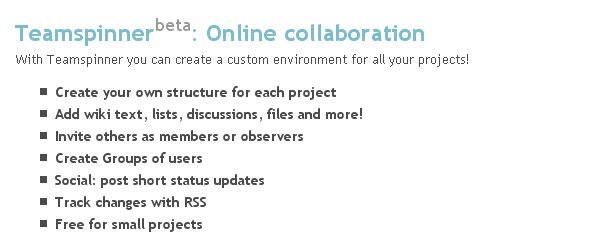
    Team Spinner
    Another tool that may speed up your work free of charge. It’s online collaboration tool with lots of custom options like groups, discussions, lists and custom structures for each of your projects!
    10
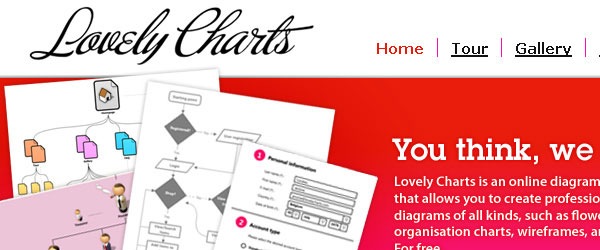
    Lovely Charts
    That’s something you should definitely check out even if you’re not a business owner. It enables you to create lovely charts. You can choose from many different types of charts and once you create anything you can
    12
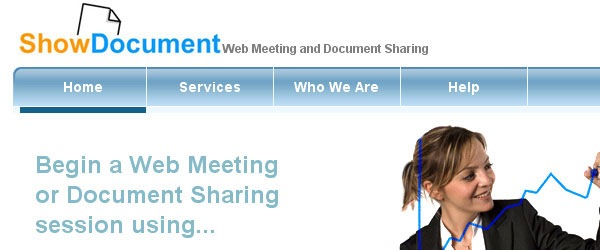
    Show Document
    Useful tool that enables you to share your documents online. It has variety of options for different types of documents. It a good alternative to Google Docs.
    13

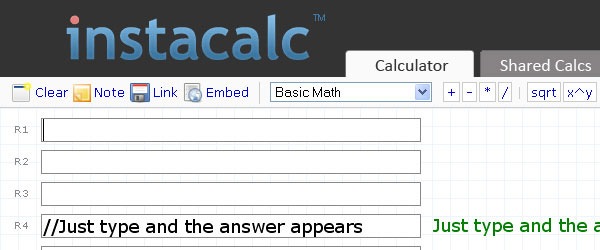
    Insta Calc
    Instacalc is a very useful calculator that will help you to convert pretty much any type of data! Check it out!
    15
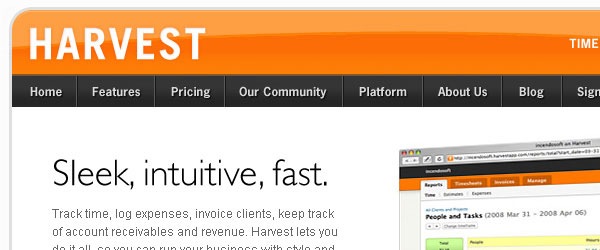
    Get Harvest
    Excellent time tracking application. It’s very simple but at the same time quite powerful. Besides tracking time it enables you to track your expenses and keep an eye on your accounts.
    16

    Wesabe
    Another well-built finance tool. It will help you to keep an eye on your money. With its help you’ll get to know where your money goes and how to save more!
    19
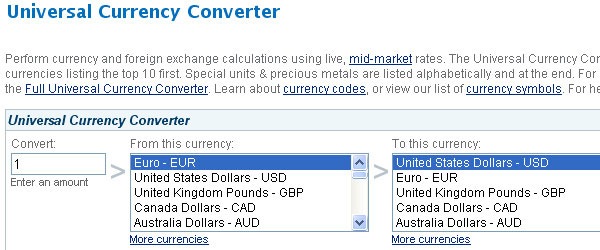
    XE
    Xe is a simple currency converter. It allows you instantly convert nearly all the currencies. It also enables you to check past conversion rates.
    20

    Windows Live Messenger 15.3.2804.607 Beta/ 2009 Build 14.0.8117.416


    Windows Live Messenger 
15.3.2804.607 Beta/ 2009 Build 14.0.8117.416Windows Live Messenger is the next-generation MSN Messenger. It has everything you already love about Messenger - your contact list, emoticons, and instant access to your friends via text, voice, and video - plus new ways to connect and share photos and documents effortlessly. It's faster than e-mail and is a great choice for conversations and the perfect alternative when you can't be there in person. As always, it's free to download Messenger and use most of its features.
     Windows Live Messenger (WLM), still commonly referred to by the previous name of MSN Messenger (MSN for short), is an instant messaging client for Windows XP, Windows Server 2003, Windows Vista, and Windows Mobile, first released on December 13, 2005 by Microsoft. It is part of Microsoft's Windows Live set of online services.  

    Windows Live Messenger Features:
    • Sharing folders
    The Sharing Folder feature of Windows Live Messenger is an alternative to the "direct transfer" method of file distribution. When a user wants to deliver a file to another person on his or her contact list, the "sharing folder" window appears, which is an individualized representation of all previously shared items.
    • PC-to-phone calls
    In addition to PC-to-PC calls that have been supported in previous versions, Windows Live Messenger now supports PC-to-phone calls with Windows Live Call. In the US, this feature is supported by Verizon, branded as "Verizon Web Calling". Orange France also has a similar service. This feature is only available in selected countries, including the US, the UK, France, Germany, the Netherlands, Austria, Ireland, Finland, Belgium, Spain, and Italy.
    • Windows Live Messenger to Yahoo!
    This allows Yahoo! and Windows Live Messenger users to chat (using text or voice) to each other without the need to create an account on the other service, provided both contacts use the latest versions of the clients. However, if a user uses an older or third-party client, they will appear offline to the users on the other network.
    • Offline messaging
    Unlike previous versions, one can start conversations even when his or her status is set to Appear Offline, similar to behaviour in Yahoo! Messenger. If talking to someone who has an older MSN Messenger client, they will lose the ability to talk to you after a short period of no activity, due to their client thinking you are offline. As Windows Live Messenger has now been made available on several phones, a new trend has appeared where people send messages over Windows Live Messenger to each other as a way to have free SMS text messages.
    • Games and applications
    There are various games and applications available in Windows Live Messenger that can be accessed via the conversation window by clicking the games icon and challenging your "buddy".
    • i’m initiative
    The i’m initiative is a new program Microsoft launched in March 2007, that connects the user with nine organizations dedicated to social causes through Windows Live Messenger. Every time someone has a conversation using i’m, Microsoft Corp. shares a portion of the program's advertising revenue with the organization of the user's choice. There is no set cap on the amount donated to each organization. The more i’m conversations the user has; the more money goes to one of the nine causes. Each participating organization is guaranteed a minimum donation of $100,000 during the first year of the program. There is currently no end date for the program. The i’m initiative only works with the most recent WLM version 8.1 and 8.5 beta. The i’m initiative is currently only available to those in the United States.
    • Xbox 360
    Windows Live Messenger support was included in the Xbox 360 Spring 2007 dashboard update released on May 9, 2007. Unofficially, it is known as Windows Live Messenger 360.
    Those using Windows Live Messenger are able to see the Gamertags of friends logged into Xbox Live, including the game they are playing. Xbox 360 users can chat in-game (or while watching a movie). Although only text chat is supported, Microsoft has suggested that voice and video chatting may come in a future update.

    Supported Operating Systems:
    * Windows Vista (32-bit or 64-bit editions)
    * Windows XP with Service Pack 2 (32-bit edition only)
    * Windows 7 (32-bit or 64-bit editions)
    * Windows Server 2008
    Size: 24.0 MB

    Download Windows Live Messenger 8.5 Final setup

    Blogger Update: Ned Default Sharing Buttons

    Hello Readers:
    Now a days blogging is no more unknown to anyone. Keeping this in mind blogger has recently introduced the new option of sharing the post on other platforms. These blogger sharing buttons include Google buzz, Twitter and Facebook and the most important an email button also. Now you'll not hvae to go and edit the complex code of your templates to add these sharing buttons to your blog posts. 

    Adding The New Sharing Buttons
    These new sharing buttons can now be installed by going to the Design > Page Elements page of your blogger account. Click "edit" under Blog Posts widgets


    check "show share buttons" to enable the buttons.

    Buttons will be appeared under each post your blog readers will find it easy to share your post via email, Blogger, and popular social networks—Blogger currently supports Google Buzz, Twitter, and Facebook, and planning to add more services in the future.

    I recommend you to add these social sharing buttons by your self, because this option would be lot more better if more sharing options were offered.However for new bloggers, who are reluctant to edit HTML codes of their blogger templates this option is quite helpful and easy.

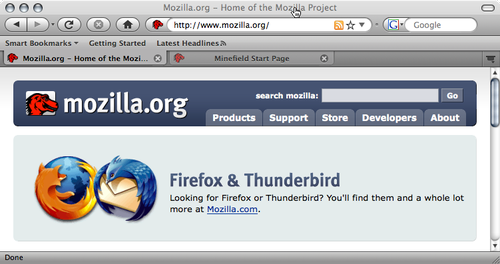
    20 High Quality Mac OS X Like Firefox Themes

    Firefox is the most popular and powerful browser for internet users. Like Opera, Firefox also have an extensive library of themes, add-ons and support. Today I'll let you know about MAC OS X-style Firefox themes. There is a small list of some beautiful themes , but only for Mac users. Rest of themes can be used on all platforms.
    Here are 20 High Quality Mac OS X Like Firefox Themes
    Thanks to Softhelp 

    Bejeweled


    Devious Firefox theme


    iTunesFox


    GrApple


    Native-mac-theme


    MonoChrome


    Vfox3


    iFox 


    Proto-MacOSX 


    Firefox Safari Theme


    iAqua 


    Safari Blue | Mac only


     JetFox Aqua


     Foxdie Turns Firefox into a Safari


    MacfoxIII


    MacOSX Theme


    ACE Foxdie (Graphite)


     MacOSX theme for Firefox 3.6


     Proto for Windows and Linux 

    Related Posts with Thumbnails